Radar PPI
The vessel radar's echoes, drawn on the GPU by the pipeline the MFD uses.
On this page
Code
import { RadarPpi } from "@bosunkit/components/radar-ppi";
import type { ReactElement } from "react";
import { PpiMarks } from "../../../../bosunkit/components/radar-ppi/examples/marks.tsx";
import {
  PlotterScreen,
  usePlotterControls,
  type PlotterControls,
} from "../../../../bosunkit/components/radar-ppi/examples/plotter-screen.tsx";
import {
  useSimulatedRadar,
  type SimulatedRadarView,
} from "../../../../bosunkit/components/radar-ppi/examples/use-simulated-radar.ts";

export const description: string =
  "A 3 NM picture from the simulated radar, sent in bosund's WebSocket frames and drawn on the GPU: true trails " +
  "mark the water each ship has crossed in the last minute, and the coast, the island and the buoys leave none " +
  "while own ship steams north at 7 kn.";

export default function TrueTrails(): ReactElement {
  const controls: PlotterControls = usePlotterControls(3);
  const radar: SimulatedRadarView = useSimulatedRadar(controls.rangeNm, 40, controls.held);
  return (
    <PlotterScreen
      controls={controls}
      rangeNm={radar.rangeNm}
      headingDeg={radar.headingDeg}
      sweepDeg={radar.sweepDeg}
      ownShip={radar.ownShip}
      aisTargets={radar.aisTargets}
      latestEcho={radar.latestEcho}
      settings={["N UP", "RM(T)", "Trails 1 min"]}
    >
      <RadarPpi
        spokes={radar.spokes}
        rangeNm={radar.rangeNm}
        headingDeg={radar.headingDeg}
        trails="true"
        trailSeconds={60}
        ownShip={radar.ownShip}
        threshold={controls.filtered ? 0.22 : undefined}
        trailPalette={controls.look.trailPalette}
        halftone={controls.look.dotted}
        palette={controls.look.palette}
        label="Radar picture"
      >
        <PpiMarks
          rangeNm={radar.rangeNm}
          rings={controls.ringsFor(radar.rangeNm)}
          look={controls.look}
          units={controls.ringUnits}
          headingDeg={radar.headingDeg}
        />
      </RadarPpi>
    </PlotterScreen>
  );
}
The radar PPI is the picture the crew steers by: the echoes a radar sends, at their true range and bearing.
RadarPpi draws only the echoes. The range rings, the heading line and the target symbols come in as children, and
the bearing scale sits outside the picture, so a screen keeps its own scale and its own units. Each example is a
plotter's radar page: the zoom buttons step the range scale from 1/8 to 8 NM, the range rings can be switched off,
left to the plotter's choice for the scale or set to two, four or six, and the bearing scale round the picture carries
a tick every degree and a number every 5°. A picker switches the look: the plotter's own, or one of eight scope looks
(Tactical, Ice, Chart, Phosphor, Sonar, Target, Red glow, Amber), each with its echo colors, ink, bezel, crosshair or
grid, sweep and glow. The sweep follows the bearing of the latest spoke.
It takes the spokes as bosund's radar WebSocket sends them. decodeRadarFrame reads a binary frame (a 12-byte header
with the spoke count, the samples per spoke, the heading and the range, then each spoke's north-referenced 12-bit
angle and its samples) and returns the spokes to pass in. The examples on this page run a simulated Navico scanner
that writes those same frames: a coast with radar shadow behind its hills, an island, five ships with their wakes,
buoys, breakwaters, drifting rain, sea clutter upwind, the main bang and the interference of another radar.
The picture is drawn by a port of the Zeus3S firmware's own shaders on WebGL2, with a CPU renderer where the browser
has no WebGL2. Each texel of the echo buffer carries two intensities, the echo as received and the echo as shown, so
the threshold applies to the received echo while the trail ages what the crew sees. The water is transparent, so the
picture lies on the theme's background, and the default echo palette follows the theme: bright echoes on a dark theme,
dark ones on a light theme, and the dimmed night palette on Night.
packages/bosun/navigation/radar/navico/NRP.md is the reference behind the pipeline.
Examples
Relative trails
Code
import { RadarPpi } from "@bosunkit/components/radar-ppi";
import type { ReactElement } from "react";
import { PpiMarks } from "../../../../bosunkit/components/radar-ppi/examples/marks.tsx";
import {
  PlotterScreen,
  usePlotterControls,
  type PlotterControls,
} from "../../../../bosunkit/components/radar-ppi/examples/plotter-screen.tsx";
import {
  useSimulatedRadar,
  type SimulatedRadarView,
} from "../../../../bosunkit/components/radar-ppi/examples/use-simulated-radar.ts";

export const description: string =
  "Relative trails, the plotter's own: each echo ages where it was drawn, so a ship's trail shows how it moves " +
  "relative to own ship, and the fixed buoys trail astern as she passes them.";

export default function RelativeTrails(): ReactElement {
  const controls: PlotterControls = usePlotterControls(1.5);
  const radar: SimulatedRadarView = useSimulatedRadar(controls.rangeNm, 60, controls.held);
  return (
    <PlotterScreen
      controls={controls}
      rangeNm={radar.rangeNm}
      headingDeg={radar.headingDeg}
      sweepDeg={radar.sweepDeg}
      ownShip={radar.ownShip}
      aisTargets={radar.aisTargets}
      latestEcho={radar.latestEcho}
      settings={["N UP", "RM(R)", "Trails 30 s"]}
    >
      <RadarPpi
        spokes={radar.spokes}
        rangeNm={radar.rangeNm}
        headingDeg={radar.headingDeg}
        trails="relative"
        trailSeconds={30}
        ownShip={radar.ownShip}
        threshold={controls.filtered ? 0.22 : undefined}
        trailPalette={controls.look.trailPalette}
        halftone={controls.look.dotted}
        palette={controls.look.palette}
        label="Radar picture"
      >
        <PpiMarks
          rangeNm={radar.rangeNm}
          rings={controls.ringsFor(radar.rangeNm)}
          look={controls.look}
          units={controls.ringUnits}
          headingDeg={radar.headingDeg}
        />
      </RadarPpi>
    </PlotterScreen>
  );
}
At night, heading-up, with the mast blanked
Code
import { RADAR_PALETTE_NIGHT, RadarPpi } from "@bosunkit/components/radar-ppi";
import type { ReactElement } from "react";
import { PpiMarks } from "../../../../bosunkit/components/radar-ppi/examples/marks.tsx";
import {
  PlotterScreen,
  usePlotterControls,
  type PlotterControls,
} from "../../../../bosunkit/components/radar-ppi/examples/plotter-screen.tsx";
import {
  useSimulatedRadar,
  type SimulatedRadarView,
} from "../../../../bosunkit/components/radar-ppi/examples/use-simulated-radar.ts";

export const description: string =
  "Heading-up at night with the mast's sector blanked: the echoes between 120° and 150° from the bow are never " +
  "drawn, the bow stays at the top as she yaws, and the picture and its marks are dimmed for a dark wheelhouse.";

export default function NightHeadingUp(): ReactElement {
  const controls: PlotterControls = usePlotterControls(1.5);
  const radar: SimulatedRadarView = useSimulatedRadar(controls.rangeNm, 60, controls.held);
  return (
    <PlotterScreen
      controls={controls}
      rangeNm={radar.rangeNm}
      headingDeg={radar.headingDeg}
      sweepDeg={radar.sweepDeg}
      ownShip={radar.ownShip}
      aisTargets={radar.aisTargets}
      latestEcho={radar.latestEcho}
      northUp={false}
      settings={["H UP", "RM(R)", "Trails 15 s"]}
      brilliance={0.55}
    >
      <RadarPpi
        spokes={radar.spokes}
        rangeNm={radar.rangeNm}
        headingDeg={radar.headingDeg}
        northUp={false}
        trails="relative"
        trailSeconds={15}
        palette={controls.look.palette ?? RADAR_PALETTE_NIGHT}
        blankingSectors={[{ startDeg: 120, endDeg: 150 }]}
        ownShip={radar.ownShip}
        threshold={controls.filtered ? 0.22 : undefined}
        trailPalette={controls.look.trailPalette}
        halftone={controls.look.dotted}
        label="Radar picture"
      >
        <PpiMarks
          rangeNm={radar.rangeNm}
          rings={controls.ringsFor(radar.rangeNm)}
          look={controls.look}
          units={controls.ringUnits}
          headingDeg={radar.headingDeg}
          northUp={false}
          brilliance={0.55}
        />
      </RadarPpi>
    </PlotterScreen>
  );
}
Scope looks
Code
import { RadarPpi } from "@bosunkit/components/radar-ppi";
import type { ReactElement } from "react";
import { PpiMarks } from "../../../../bosunkit/components/radar-ppi/examples/marks.tsx";
import {
  PlotterScreen,
  usePlotterControls,
  type PlotterControls,
} from "../../../../bosunkit/components/radar-ppi/examples/plotter-screen.tsx";
import {
  useSimulatedRadar,
  type SimulatedRadarView,
} from "../../../../bosunkit/components/radar-ppi/examples/use-simulated-radar.ts";

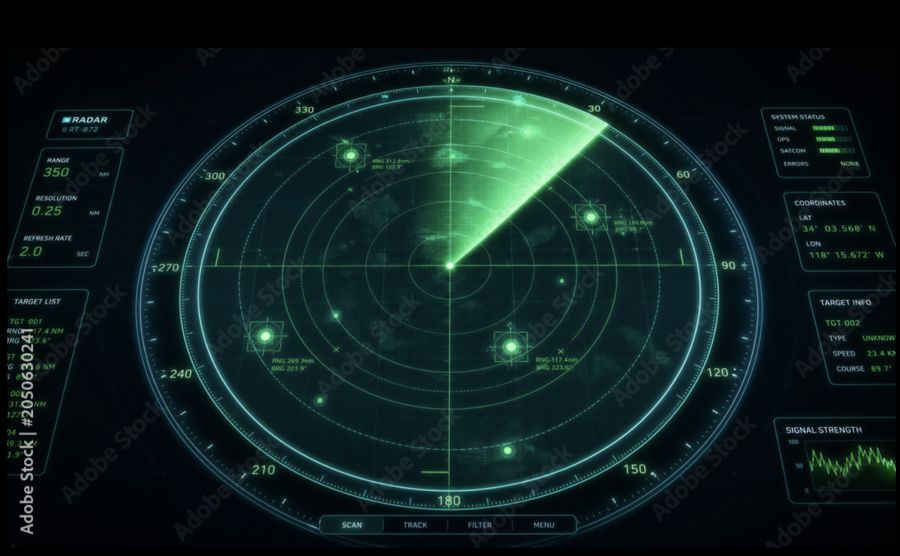
export const description: string =
  "The same picture in the scope looks the picker offers: Tactical here, a green wedge sweeping over dashed rings, " +
  "and Ice, Chart, Phosphor, Sonar, Target, Red glow and Amber beside the plotter's own. Each look sets the echo " +
  "colors, the ink, the bezel and the sweep; the echoes are the same spokes. Under the screen is the reference the " +
  "chosen look follows. Red means alarm on a bridge display, so the red looks are for a screen that shows no alerts.";

/** The reference picture each look follows, where there is one: stock previews, kept for comparison only. */
const REFERENCES: Readonly<Record<string, string>> = {
  tactical: "/radar-references/tactical.jpg",
  ice: "/radar-references/ice.jpg",
  chart: "/radar-references/chart.jpg",
  phosphor: "/radar-references/phosphor.jpg",
  sonar: "/radar-references/sonar.jpg",
  target: "/radar-references/target.jpg",
  glow: "/radar-references/glow.jpg",
  amber: "/radar-references/amber.jpg",
};

export default function ScopeLooks(): ReactElement {
  const controls: PlotterControls = usePlotterControls(3, "tactical");
  const radar: SimulatedRadarView = useSimulatedRadar(controls.rangeNm, 40, controls.held);
  const reference: string | undefined = REFERENCES[controls.look.id];
  return (
    <div style={{ display: "grid", gap: "var(--space-md)" }}>
    <PlotterScreen
      controls={controls}
      rangeNm={radar.rangeNm}
      headingDeg={radar.headingDeg}
      sweepDeg={radar.sweepDeg}
      ownShip={radar.ownShip}
      aisTargets={radar.aisTargets}
      latestEcho={radar.latestEcho}
      settings={["N UP", "RM(T)", "Trails 1 min"]}
    >
      <RadarPpi
        spokes={radar.spokes}
        rangeNm={radar.rangeNm}
        headingDeg={radar.headingDeg}
        trails="true"
        trailSeconds={60}
        ownShip={radar.ownShip}
        threshold={controls.filtered ? 0.22 : undefined}
        trailPalette={controls.look.trailPalette}
        halftone={controls.look.dotted}
        palette={controls.look.palette}
        label="Radar picture"
      >
        <PpiMarks
          rangeNm={radar.rangeNm}
          rings={controls.ringsFor(radar.rangeNm)}
          look={controls.look}
          units={controls.ringUnits}
          headingDeg={radar.headingDeg}
        />
      </RadarPpi>
    </PlotterScreen>
      {reference === undefined ? null : (
        <figure style={{ margin: 0 }}>
          <img
            src={reference}
            alt={`The reference the ${controls.look.label} look follows`}
            style={{ display: "block", width: "100%", height: "auto", borderRadius: "var(--radius-md)" }}
          />
          <figcaption style={{ marginTop: "var(--space-xs)", color: "var(--text-dim)", fontSize: "0.85em" }}>
            {`Reference for ${controls.look.label}: a stock preview, shown for comparison only.`}
          </figcaption>
        </figure>
      )}
    </div>
  );
}
The plotter's colors
Code
import { RADAR_PALETTE_PLOTTER, RadarPpi } from "@bosunkit/components/radar-ppi";
import type { ReactElement } from "react";
import { PpiMarks } from "../../../../bosunkit/components/radar-ppi/examples/marks.tsx";
import {
  PlotterScreen,
  usePlotterControls,
  type PlotterControls,
} from "../../../../bosunkit/components/radar-ppi/examples/plotter-screen.tsx";
import {
  useSimulatedRadar,
  type SimulatedRadarView,
} from "../../../../bosunkit/components/radar-ppi/examples/use-simulated-radar.ts";

export const description: string =
  "The same picture in the plotter's own colors: the weak echo levels a blue, cyan and green fringe round a red " +
  "and yellow core. A bosun screen keeps red for alarms, so this palette is offered for a display that shows " +
  "no alerts.";

export default function PlotterColors(): ReactElement {
  const controls: PlotterControls = usePlotterControls(3);
  const radar: SimulatedRadarView = useSimulatedRadar(controls.rangeNm, 40, controls.held);
  return (
    <PlotterScreen
      controls={controls}
      rangeNm={radar.rangeNm}
      headingDeg={radar.headingDeg}
      sweepDeg={radar.sweepDeg}
      ownShip={radar.ownShip}
      aisTargets={radar.aisTargets}
      latestEcho={radar.latestEcho}
      settings={["N UP", "RM", "Trails off"]}
    >
      <RadarPpi
        spokes={radar.spokes}
        rangeNm={radar.rangeNm}
        headingDeg={radar.headingDeg}
        trails="off"
        palette={controls.look.palette ?? RADAR_PALETTE_PLOTTER}
        ownShip={radar.ownShip}
        threshold={controls.filtered ? 0.22 : undefined}
        trailPalette={controls.look.trailPalette}
        halftone={controls.look.dotted}
        label="Radar picture"
      >
        <PpiMarks
          rangeNm={radar.rangeNm}
          rings={controls.ringsFor(radar.rangeNm)}
          look={controls.look}
          units={controls.ringUnits}
          headingDeg={radar.headingDeg}
        />
      </RadarPpi>
    </PlotterScreen>
  );
}
One revolution, higher threshold
Code
import { RadarPpi } from "@bosunkit/components/radar-ppi";
import type { ReactElement } from "react";
import { PpiMarks } from "../../../../bosunkit/components/radar-ppi/examples/marks.tsx";
import {
  PlotterScreen,
  usePlotterControls,
  type PlotterControls,
} from "../../../../bosunkit/components/radar-ppi/examples/plotter-screen.tsx";
import {
  useSimulatedRadar,
  type SimulatedRadarView,
} from "../../../../bosunkit/components/radar-ppi/examples/use-simulated-radar.ts";

export const description: string =
  "The other end of the settings: one revolution only, with everything below 28 % of full scale left out, so " +
  "the sea clutter, the rain and the noise floor go and only the land, the ships and the buoys stay.";

export default function NoTrails(): ReactElement {
  const controls: PlotterControls = usePlotterControls(1.5);
  const radar: SimulatedRadarView = useSimulatedRadar(controls.rangeNm, 60, controls.held);
  return (
    <PlotterScreen
      controls={controls}
      rangeNm={radar.rangeNm}
      headingDeg={radar.headingDeg}
      sweepDeg={radar.sweepDeg}
      ownShip={radar.ownShip}
      aisTargets={radar.aisTargets}
      latestEcho={radar.latestEcho}
      settings={["N UP", "RM", "Trails off"]}
    >
      <RadarPpi
        spokes={radar.spokes}
        rangeNm={radar.rangeNm}
        headingDeg={radar.headingDeg}
        trails="off"
        threshold={controls.filtered ? 0.4 : 0.28}
        ownShip={radar.ownShip}
        trailPalette={controls.look.trailPalette}
        halftone={controls.look.dotted}
        palette={controls.look.palette}
        label="Radar picture"
      >
        <PpiMarks
          rangeNm={radar.rangeNm}
          rings={controls.ringsFor(radar.rangeNm)}
          look={controls.look}
          units={controls.ringUnits}
          headingDeg={radar.headingDeg}
        />
      </RadarPpi>
    </PlotterScreen>
  );
}
Props
| Prop | Type | Default | Description |
|---|---|---|---|
| spokesrequired | readonly RadarSpoke[] | – | The spokes received since the previous render, in the order the radar swept them, as decodeRadarFrame returns
them from bosund's radar WebSocket. A bearing no spoke covers keeps the echo it had, as a radar's picture does
between revolutions. |
| rangeNmrequired | number | – | Range of the outermost range cell in nautical miles. Scales the picture; the caller's overlay carries the unit. |
| headingDeg | number | undefined | 0 | Own ship's heading in degrees, 0 = north. The spokes are already north-referenced, so this only turns a heading-up picture and places the blanking sectors, which are measured from the bow. |
| northUp | boolean | undefined | true | Draw the picture north-up (true, the default) or heading-up (false). |
| trails | RadarTrailMode | undefined | "relative" | How the echoes the sweep leaves behind are kept. relative (the default) ages them in place, the plotter's own
trail: it shows how a target moves relative to own ship. true marks where an echo has been on the ground, in the
trail colors, radar_pi's true-motion trail: it needs ownShip, and a fixed mark leaves none however own ship
moves. off shows each bearing's last echo until the sweep comes round again. |
| trailSeconds | number | undefined | 30 | How long a trail lasts, in seconds: the time a full-scale echo takes to fade once it has gone (default 30). The
plotters offer 15 s, 30 s, 1, 3, 5 and 10 minutes; Infinity keeps trails until the range changes. |
| ownShip | RadarPosition | undefined | – | Own ship's position, which keeps true trails on the ground as she moves. |
| trailPalette | readonly RadarPaletteStop[] | undefined | RADAR_TRAIL_PALETTE | True-trail colors (default RADAR_TRAIL_PALETTE): stop 1 is a trail just left, stop 0 one about to fade. |
| threshold | number | undefined | 0.06 | Echoes below this fraction of full scale are not drawn, 0..1 (default 0.06, the weakest of 16 echo levels). |
| blankingSectors | readonly RadarSector[] | undefined | [] | Sectors never drawn — the mast or funnel the scanner cannot see past. Degrees clockwise from the bow. |
| palette | readonly RadarPaletteStop[] | undefined | – | Echo colors. By default they follow the theme around the picture: RADAR_PALETTE_GREEN on a dark theme,
RADAR_PALETTE_DAY on a light one and RADAR_PALETTE_NIGHT on Night. RADAR_PALETTE_PLOTTER gives the
plotter's own colors, whose red core a bosun display keeps for alarms. Water is transparent in every palette, so
the picture lies on the theme's background. |
| halftone | boolean | undefined | false | Draws the echoes as a halftone of dots rather than solid (default false), as a stylized display shows land and targets: a look, not a measurement, so a bridge screen keeps it off. |
| rangeCells | number | undefined | – | Range cells in the intensity buffer (the length of the first spoke when omitted). |
| labelrequired | string | – | Accessible name for the picture. Display text: the caller translates it. |
| renderer | RadarPictureRenderer | undefined | "auto" | Picture renderer. auto (the default) runs the port of the firmware's own shaders on WebGL2 and falls back to the
CPU picture where the browser has no WebGL2; cpu always draws on the CPU. Both are held to the same tests. |
| children | ReactNode | undefined | – | Overlay drawn over the picture (range rings, bearing scale, target symbols). |
| className | string | undefined | – | Optional additional CSS class. |
| testId | string | undefined | – | Test id: the root gets data-testid, parts get ${testId}--<part>. |
Related
- Nautical chart: the same idea for the chart, server geometry under a React overlay.
- Radar: the radar this picture comes from, its ranges and its guard zones.
- Data integrity: what a stale or invalid reading looks like in a picture.
Red means alarm on a bosun display, so a screen that shows alerts offers only the looks whose echoes carry no red: the plotter's red-cored palette and looks are for comparing with a chart plotter, never beside the alert zone.